
Markdown vs JSONL vs CSV: Choosing the Right Export Format for Your LLM Pipeline
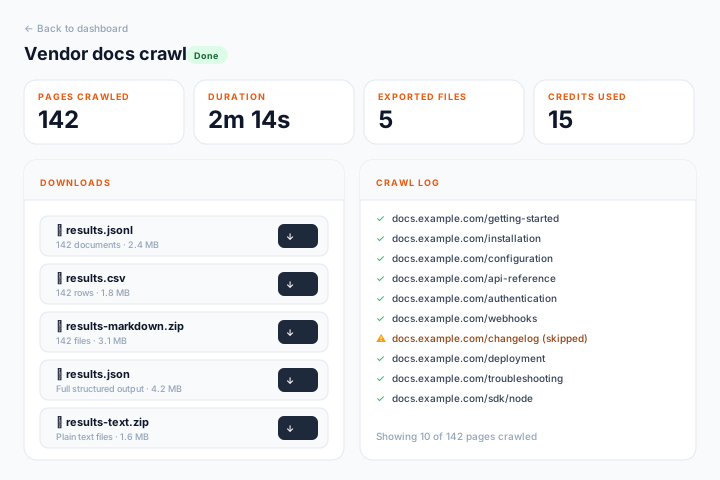
You have crawled a website and now you are staring at five export options: Markdown, JSONL, CSV, JSON, and ZIP. Which one should you pick?
The answer depends on what you are building. Each format is optimized for a different step in the AI pipeline. Choosing wrong means extra processing work — or worse, wasted tokens.
The Formats at a Glance
| Format | What You Get | Best For |
|---|---|---|
| Markdown | One .md file per page | LLM context windows, fine-tuning data |
| JSONL | One JSON object per line | Embedding pipelines, streaming ingestion |
| CSV | Tabular data (URL, title, text, word count) | Spreadsheet analysis, database import |
| JSON | Single JSON array of all pages | Structured processing, APIs |
| ZIP | Bundle of individual text files | Archiving, offline processing |
Markdown: When Tokens Matter
Markdown is the most token-efficient format for passing scraped content to an LLM.
Raw HTML from a typical web page is 60-80% markup — tags, classes, attributes, scripts, styles. None of that is useful to a language model. Markdown strips all of it and keeps the semantic structure: headings, paragraphs, lists, code blocks, links.
Use Markdown when:
- You are passing scraped content into an LLM context window (Claude, GPT-4, Gemini)
- You are building a fine-tuning dataset where every token costs money
- You want human-readable output that is also machine-readable
Example output:
# Getting Started with Authentication

To authenticate API requests, include your API key in the Authorization header.

## Quick Start

1. Generate an API key in Settings > API Keys
2. Add the header to your requests:

\`\`\`bash
curl -H "Authorization: Bearer your_key" https://api.example.com/data
\`\`\`

## Rate Limits

Free tier: 100 requests/minute
Paid tier: 1,000 requests/minute
Compare that to the raw HTML of the same page, which might be 10x longer with <div>, <nav>, <footer>, <script>, and CSS class names consuming tokens that add zero value.
JSONL: When You Are Building an Embedding Pipeline
JSONL (JSON Lines) gives you one JSON object per line. Each object contains the page URL, title, extracted text, word count, and any structured extraction fields.
Use JSONL when:
- You are streaming data into an embedding pipeline (OpenAI, Cohere, Voyage)
- You need to process pages one at a time without loading everything into memory
- You are building a RAG system and need metadata alongside the text
Example output:
{"url":"https://docs.example.com/auth","title":"Authentication","text":"To authenticate API requests...","wordCount":342}
{"url":"https://docs.example.com/rate-limits","title":"Rate Limits","text":"Free tier allows 100 requests...","wordCount":156}
The killer feature of JSONL: you can process it line by line. Read one line, parse it, embed it, store it. You never need to hold the entire dataset in memory. For a crawl with 10,000 pages, this matters.
Typical JSONL pipeline:
import { createReadStream } from 'fs';
import { createInterface } from 'readline';

const rl = createInterface({
  input: createReadStream('results.jsonl'),
});

for await (const line of rl) {
  const page = JSON.parse(line);

  // Chunk the text
  const chunks = chunkText(page.text, 1500);

  // Embed each chunk
  for (const chunk of chunks) {
    const embedding = await embed(chunk);
    await vectorDb.upsert({
      id: `${page.url}#${chunks.indexOf(chunk)}`,
      values: embedding,
      metadata: { url: page.url, title: page.title },
    });
  }
}
CSV: When You Need a Spreadsheet View
CSV is the most universal format. It opens in Excel, Google Sheets, Pandas, SQL databases — anything that handles tabular data.
Use CSV when:
- You want to browse crawl results in a spreadsheet
- You are loading data into a SQL database
- You need to share results with non-technical teammates
- You are doing exploratory analysis before deciding how to process the data
Example output:
url,title,text,wordCount,statusCode
https://docs.example.com/auth,Authentication,"To authenticate...",342,200
https://docs.example.com/rate-limits,Rate Limits,"Free tier...",156,200
CSV is also great for quick quality checks. Open the file, sort by word count, and immediately see which pages have too little content (possible scraping issues) or too much (might need chunking).
JSON: When You Need the Full Picture
JSON gives you a single array containing all pages. Unlike JSONL, it is a valid JSON document you can parse in one call.
Use JSON when:
- You are building an API that serves scraped data
- You want to load everything into memory and process it as a batch
- You need structured extraction results (nested objects, arrays)
When to avoid JSON: If your crawl has thousands of pages, the JSON file can be large. JSONL is more memory-efficient for big datasets.
ZIP: When You Want Individual Files
ZIP gives you one text file per page, bundled together. Each file is named after the page URL (sanitized).
Use ZIP when:
- You want to browse individual pages as files
- You are feeding pages into a system that expects one-file-per-document
- You want an archive for offline processing or backup
Decision Flowchart
"I need to pass content to an LLM" → Markdown
"I am building a RAG / embedding pipeline" → JSONL
"I want to analyze or explore the data" → CSV
"I need it in a web API or batch processor" → JSON
"I want individual files per page" → ZIP
"I am not sure yet" → Start with JSONL. It is the most flexible — you can convert JSONL to any other format with a few lines of code, but you cannot easily go backward from CSV or Markdown to structured JSON.
Using Multiple Formats
You are not limited to one. FireScraper lets you download the same crawl in multiple formats. A common pattern:
- JSONL for your production embedding pipeline
- CSV for your data team to review quality
- Markdown for feeding specific pages into LLM prompts
You can also download partial results while a crawl is still running — useful for large crawls where you want to start processing before the entire site is scraped.
Export in any format
Markdown, JSONL, CSV, JSON, ZIP — all included with every crawl. 1,000 free units to start.