
How to Build a RAG-Ready Dataset from Any Website (Chunks JSONL)
The tedious part of building a RAG pipeline isn't the embeddings or the vector store — it's getting clean, well-sized chunks out of messy web pages. Strip the HTML, split on sensible boundaries, keep chunks small enough to embed but large enough to mean something, and attach IDs and metadata so you can trace every answer back to its source.
FireScraper does all of that for you. Point it at a site and download a Chunks JSONL file where every line is an embedding-ready passage with a stable ID, its source URL, and a title — ready to embed and upsert directly.
Who this is for
- Developers building RAG who want to skip writing their own crawler and text splitter.
- AI teams that need clean, traceable chunks with metadata for citations.
- Anyone prototyping retrieval over a docs site, blog, or knowledge base.
The settings at a glance
If you just want the configuration, here it is. The rest of this post explains each choice.
- Start URL
- https://docs.example.com (your docs, blog, or KB)
- Crawl depth
- 2 — deep enough to cover a full docs site
- Minimum word count
- 50 — skip near-empty pages
- Remove duplicate text
- On — drop repeated nav and footers
- Respect robots.txt
- On — only crawl allowed pages
- Export format
- Chunks JSONL
Step 1: Create a new project
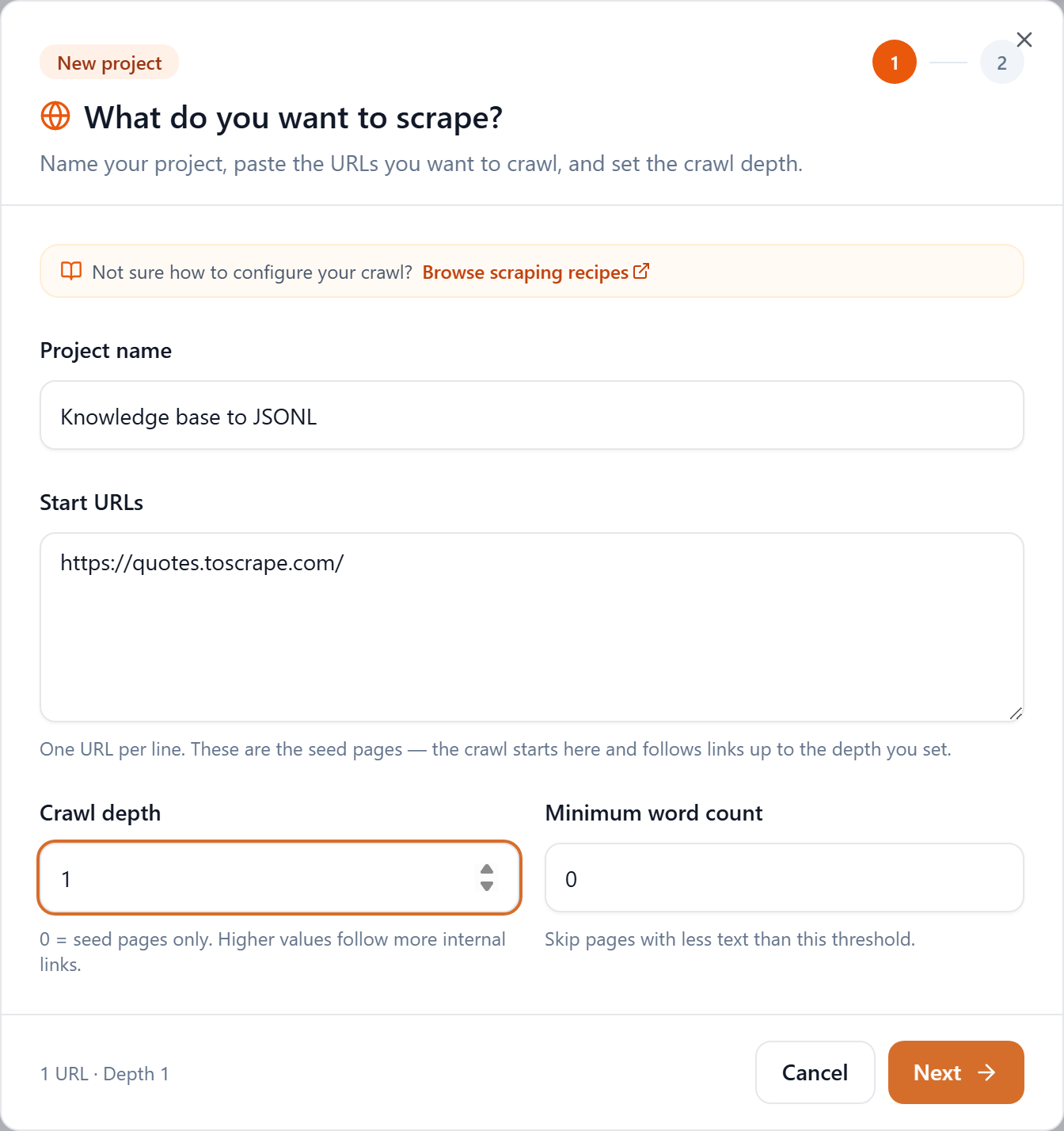
From your workspace, click New project. Name it, then paste your documentation or knowledge-base URL into Start URLs — one per line if you have several entry points.
Step 2: Crawl deep enough to cover the site
Crawl depth decides how far FireScraper follows links from your starting page. For a knowledge base you usually want depth 2 — enough to reach every article linked from your landing and section pages. Each page is one credit, so if your docs are large, start at depth 1 and increase.
Set Minimum word count to around 50 so navigation stubs and empty pages don't become useless chunks.
Step 3: Keep the text clean
On step 2, two options matter for retrieval quality:
- Remove duplicate text from exported files — strips repeated headers, footers, and sidebars so the same boilerplate isn't embedded on every chunk.
- Content CSS selector (optional) — if your docs wrap content in a known element like
mainor.article-body, set it to pull only that and drop the chrome entirely.
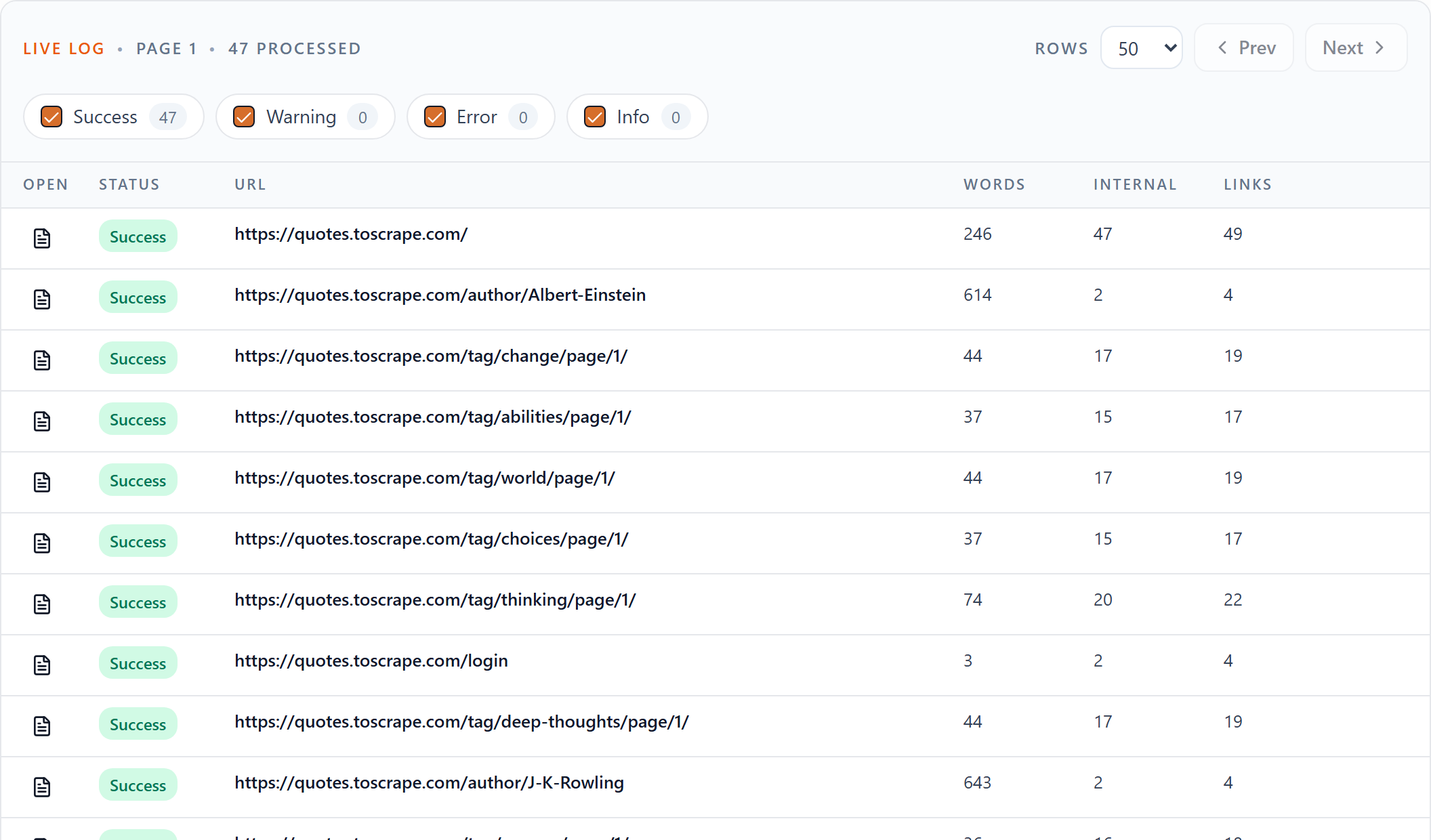
Then start the crawl. Every page appears in the live log as it's processed.
Step 4: Download the Chunks JSONL
When the crawl finishes, the Downloads row offers every format. Click Chunks JSONL.

What's in the file
The chunker splits each page on sentence and paragraph boundaries, targeting roughly 220 words (max ~1,400 characters) per chunk — a good size for most embedding models. Every line is a standalone JSON object:
{
  "chunk_id": "docs_example_com_getting_started_0001_chunk_001",
  "document_id": "docs_example_com_getting_started_0001",
  "chunk_index": 0,
  "url": "https://docs.example.com/getting-started",
  "source": "docs.example.com",
  "title": "Getting Started",
  "section": "opening",
  "chunk_text": "FireScraper turns any website into clean, structured data...",
  "word_count": 198,
  "char_count": 1180
}
Each field earns its place in a pipeline:
| Field | Why it's there |
|---|---|
| chunk_id | Stable, unique ID — use it as the vector DB primary key |
| document_id | Groups every chunk from the same page |
| chunk_index | Order of the chunk within its page |
| url | Source link — surface it as a citation |
| source | The domain the chunk came from |
| title | Page title — handy metadata for filtering and display |
| section | "opening" for the first chunk, "body" thereafter |
| chunk_text | The passage to embed |
| word_count | Words in the chunk |
| char_count | Characters in the chunk |
Drop it into a vector database
Because the file is plain JSONL with IDs and metadata already attached, ingestion is a short loop. Here's the shape with any embedding model and vector store:
import json

records = [json.loads(line) for line in open("corpus-chunks.jsonl")]

texts = [r["chunk_text"] for r in records]
vectors = embed(texts)  # your embedding model

index.upsert([
    {
        "id": r["chunk_id"],
        "values": vec,
        "metadata": {
            "url": r["url"],
            "title": r["title"],
            "document_id": r["document_id"],
        },
    }
    for r, vec in zip(records, vectors)
])
At query time, retrieve by similarity and use each hit's url and title straight from the metadata to cite your sources.
Chunks or documents?
- Chunks JSONL — pre-split, embedding-ready passages. Pick this if you want to embed immediately.
- Documents JSONL — one record per page with the full text and richer metadata (canonical URL, language, publish date, link counts). Pick this if you'd rather run your own splitter or chunking strategy.
Tips
- Trim the noise. Use Ignore URLs to skip
/changelog,/tags, or search pages that add low-value chunks. - Keep it current. Use Schedule for later to re-crawl on a daily, weekly, or monthly cadence so your index never goes stale.
- Want a completion ping? Turn on Email me when this crawl finishes, or set a Completion webhook to kick off your embedding job automatically.
Build your RAG dataset in minutes
Crawl a site and get embedding-ready chunks with one click. New accounts get 1,000 free credits.