
Use FireScraper with Claude: Crawl and Query the Web in Claude Code & Desktop
Claude is a strong reasoning partner, but on its own it can't fetch a live web page. The FireScraper Model Context Protocol (MCP) server gives Claude that ability: crawl a site, get clean Markdown, and ask questions grounded in the scraped content — directly in Claude Code or Claude Desktop.
This guide covers installing the server in both, the prompts you'll use, and what comes back.
What you'll be able to do
- Ask Claude to crawl a URL and reason over the real page
- Pull entire docs sites into clean, LLM-ready Markdown
- Build a searchable corpus and ask it questions with cited sources
- Keep it all inside your normal Claude workflow
Prerequisites
- Node.js 18+ (the server runs via
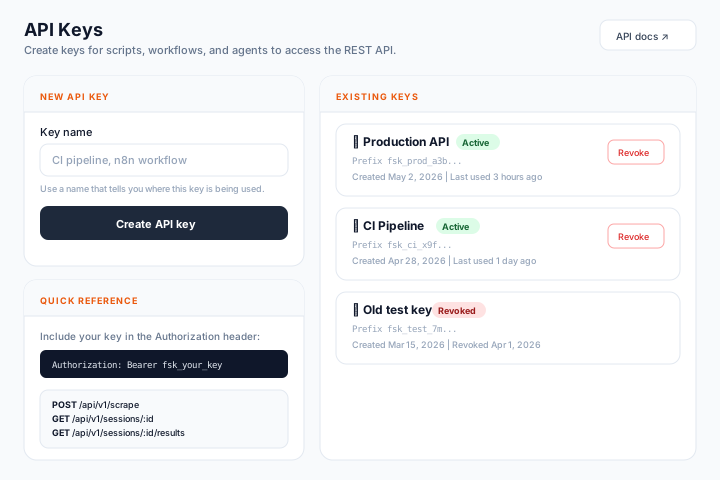
npx) - A FireScraper API key from the API keys page. Keys start with
fsk_; new accounts include free crawl units.
Install in Claude Code
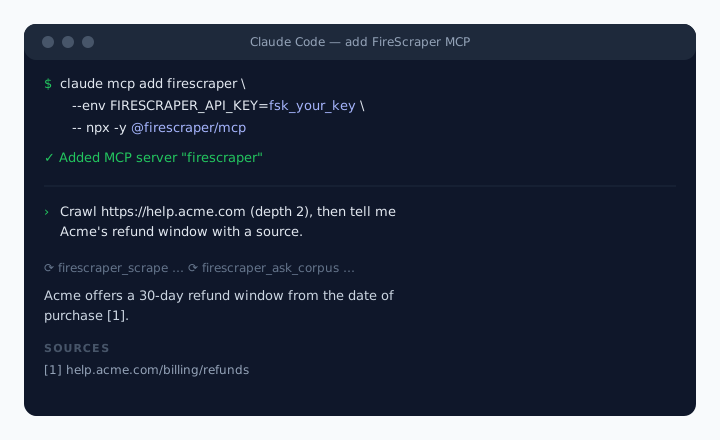
One command:
claude mcp add firescraper --env FIRESCRAPER_API_KEY=fsk_your_key -- npx -y @firescraper/mcp
Restart the session and the FireScraper tools are available.
Install in Claude Desktop
Add the server to your MCP config (claude_desktop_config.json):
{
  "mcpServers": {
    "firescraper": {
      "command": "npx",
      "args": ["-y", "@firescraper/mcp"],
      "env": {
        "FIRESCRAPER_API_KEY": "fsk_your_key"
      }
    }
  }
}
Restart Claude Desktop. You'll see the FireScraper tools in the tools menu.
The tools Claude gets
| Tool | What it does |
|---|---|
| firescraper_scrape_and_wait | Crawl URLs and return the text in one call — the easiest path. |
| firescraper_scrape | Start a large crawl and return a session ID immediately. |
| firescraper_get_session | Check crawl status and page counts. |
| firescraper_list_results | List the export files available for a finished crawl. |
| firescraper_get_results | Download output in a chosen format (markdown, json, chunks, vectors, …). |
| firescraper_ask_corpus | Ask a finished crawl a question; get an answer grounded in its content, with sources. |
Prompts you'll actually use
You just ask in plain language — Claude picks the right tool.
Summarize a live page:
Crawl https://modelcontextprotocol.io/introduction and explain what MCP is
and when I'd build a server vs. a client.
Bring a whole site into the conversation:
Crawl https://docs.myvendor.com with depth 2 and give me the Markdown for
the authentication section.
Build and query a knowledge base:
Crawl https://help.acme.com at depth 2. When it's finished, ask the corpus:
"How do I rotate API keys, and what happens to the old key?"
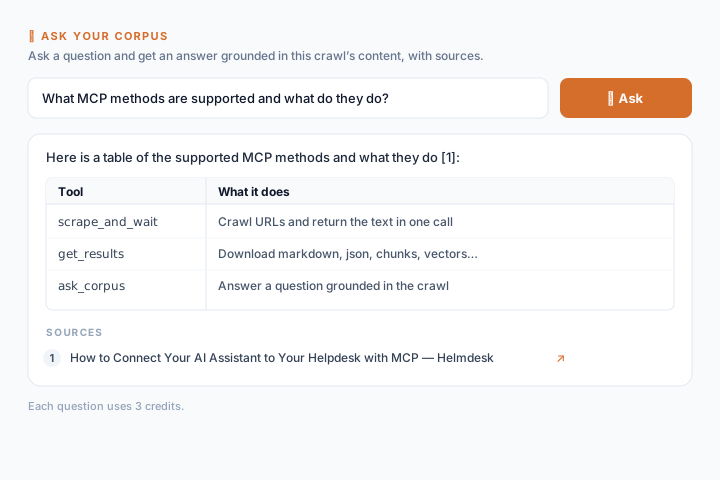
Claude runs the crawl, waits for it to finish, then calls firescraper_ask_corpus and answers from the scraped pages with cited source URLs.
What you get back
- Clean Markdown that keeps headings, lists, tables, and links
- Structured exports (
documents,chunks,vectors) for RAG pipelines - Grounded answers with citations from
ask_corpus
Tips
- Use
firescraper_scrape_and_waitfor quick lookups; for large sites, let Claude start the crawl and poll withfirescraper_get_session. - Crawls cost credits per page and
ask_corpusa few credits per question — watch your balance on big jobs. - Tune depth: 0 = seed URLs only, 2 = follow links two hops in.
Give Claude the live web
Create a free FireScraper API key and connect the MCP server in two minutes.