
How to Build a Training Corpus from a Website (Documents JSONL)
When you're assembling a corpus — to fine-tune a model, seed a document store, or run your own chunking and embedding — you want one clean record per page, the full text intact, and enough metadata to filter and trace it. Not raw HTML. Not pre-chunked fragments. Whole documents.
FireScraper's Documents JSONL export gives you exactly that: crawl a site and get a .jsonl file with one JSON object per page, full text plus metadata, ready to stream line by line.
Who this is for
- ML engineers building a fine-tuning or continued-pretraining corpus from web content.
- Teams seeding a document store who want page-level records, not chunks.
- Anyone who wants to chunk their own way and just needs clean, structured documents to start from.
The settings at a glance
- Start URL
- https://example.com (the site to turn into a corpus)
- Crawl depth
- 2 — cover the whole site
- Minimum word count
- 50 — drop thin pages that add noise
- Remove duplicate text
- On — strip repeated boilerplate
- Respect robots.txt
- On — only crawl allowed pages
- Export format
- Documents JSONL
Step 1: Create a new project
From your workspace, click New project, name it, and paste the site's URL into Start URLs.
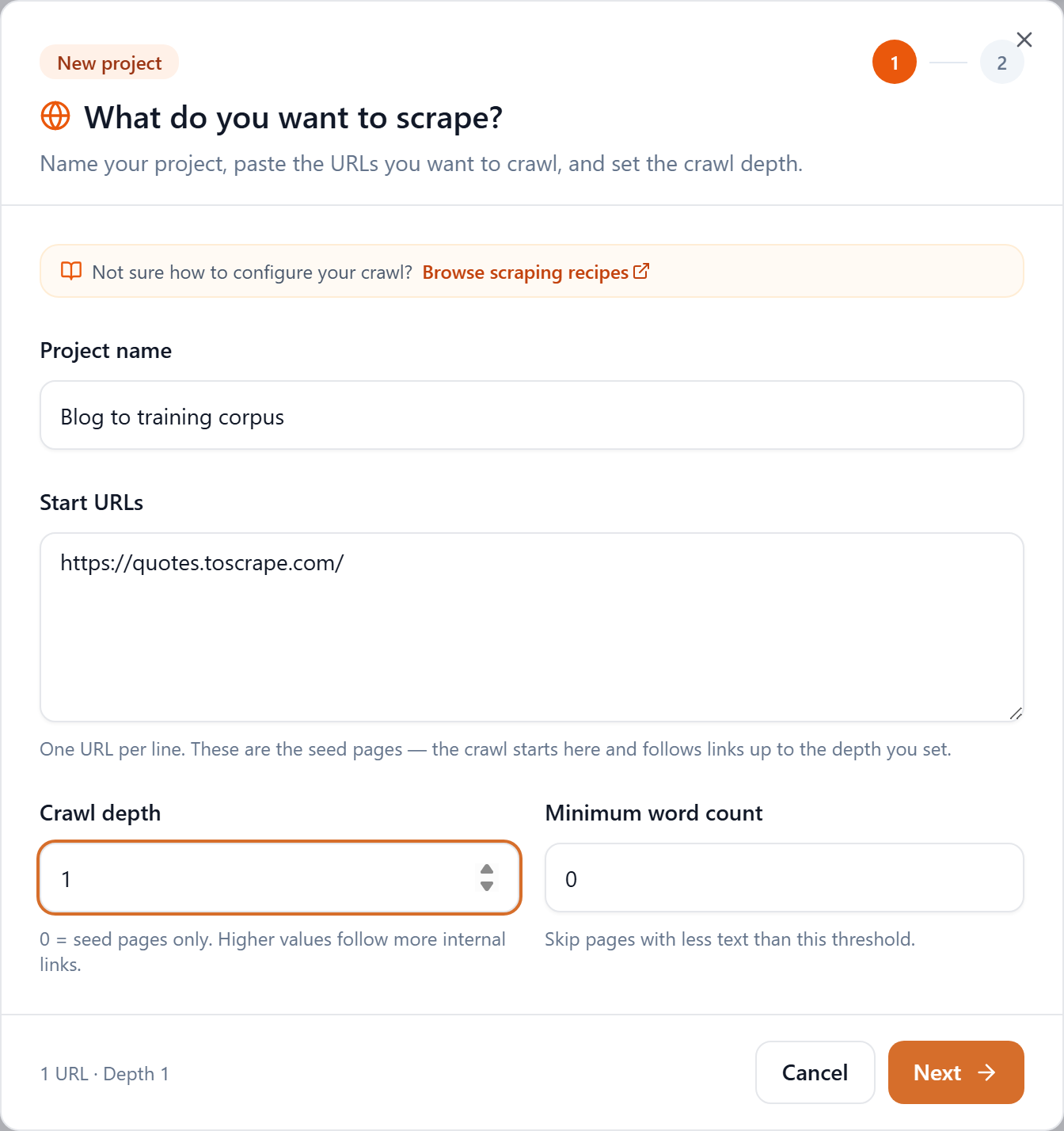
Step 2: Crawl the whole site, skip the thin pages
Set Crawl depth to cover the site (depth 2 is a good default), and set Minimum word count to around 50 so navigation stubs and empty pages don't end up as low-value documents. Leave Remove duplicate text on so repeated headers and footers don't pollute every record.
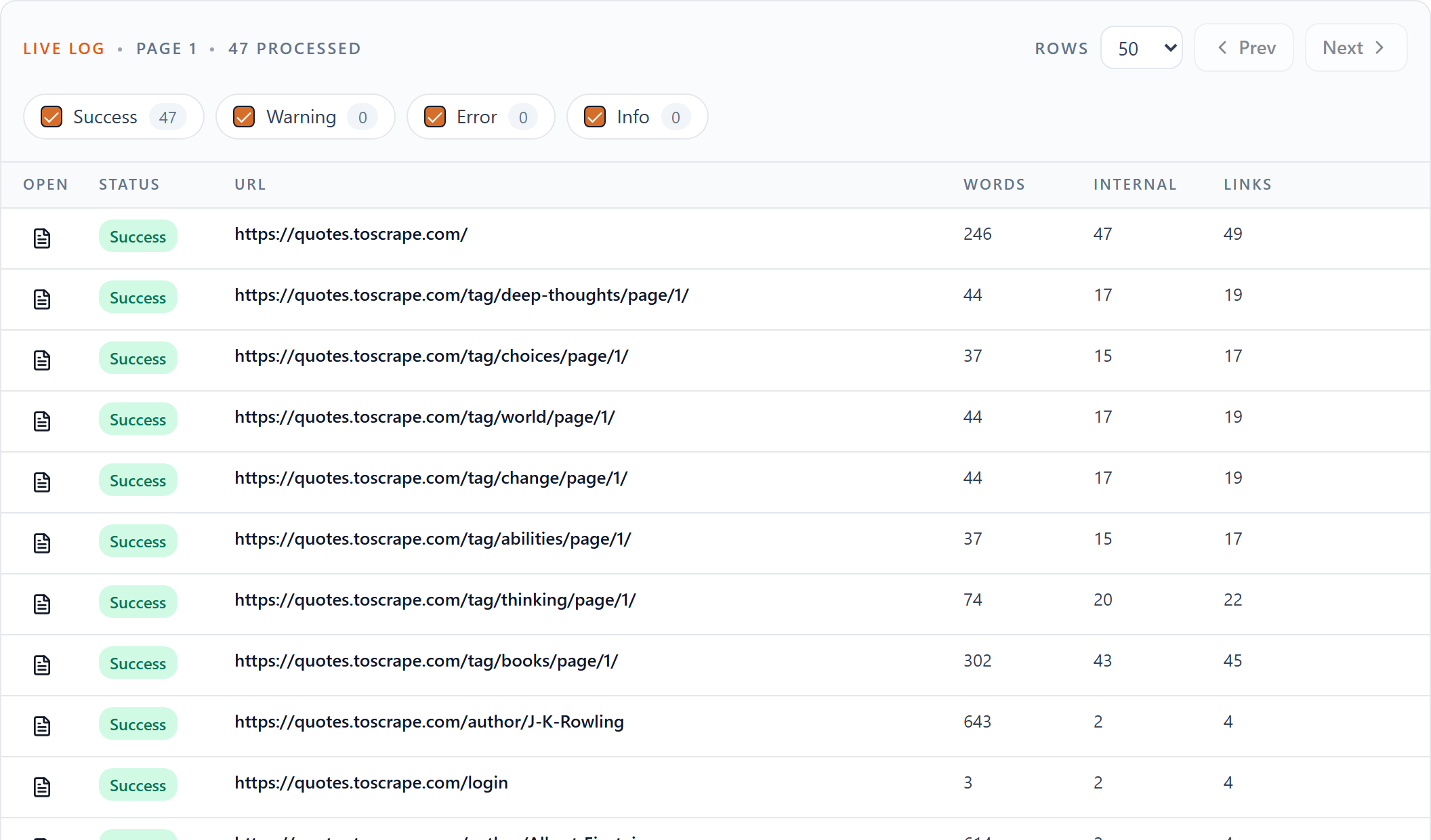
Step 3: Download the Documents JSONL
When the crawl finishes, the Downloads row offers every format. Click Documents JSONL.

What's in each record
Every line is a complete JSON object for one page:
{
  "document_id": "quotes_toscrape_com_0001",
  "url": "https://quotes.toscrape.com/",
  "canonical_url": "https://quotes.toscrape.com",
  "source": "quotes.toscrape.com",
  "title": "Quotes to Scrape",
  "meta_description": "",
  "publish_date": null,
  "crawl_depth": 0,
  "language": "en",
  "word_count": 412,
  "internal_urls_count": 17,
  "external_urls_count": 2,
  "total_urls_count": 19,
  "crawl_timestamp": "2026-06-24T11:02:51.000Z",
  "text": "The full cleaned text of the page..."
}
The fields you'll lean on most:
| Field | What it holds |
|---|---|
| document_id | Stable, unique ID for the page |
| url / canonical_url | Source link and its canonical form |
| source | The domain the page came from |
| title | Page title |
| meta_description | Meta description, when present |
| publish_date | Publish date when the page exposes one, else null |
| language | Detected language code |
| word_count | Words in the cleaned text |
| crawl_depth | How many links deep the page was found |
| text | The full cleaned page text |
Use it as a corpus
Because it's JSONL, you can stream it without loading everything into memory:
import json

with open("corpus-documents.jsonl") as f:
    docs = [json.loads(line) for line in f]

# Keep substantial, English documents for a fine-tuning set
corpus = [
    {"text": d["text"], "source": d["url"]}
    for d in docs
    if d["word_count"] >= 200 and d["language"] == "en"
]

print(f"{len(corpus)} documents ready")
From here you can format the text into prompt/completion pairs, run your own splitter, or load it into a document store.
Documents or chunks?
- Documents JSONL — one record per page with the full text and rich metadata. Best for corpora, document stores, and custom chunking.
- Chunks JSONL — the same content pre-split into embedding-sized passages with IDs. Best when you want to embed immediately. See the Chunks JSONL recipe.
Tips
- Filter aggressively. Use
word_count,language, andcrawl_depthto keep only the documents you want. - Trim the noise. Use Ignore URLs to skip sections like
/tag,/search, or/loginthat add low-value documents. - Keep it current. Use Schedule for later to re-crawl on a cadence so your corpus stays fresh.
Turn a website into a clean corpus
Crawl a site and get one structured record per page. New accounts get 1,000 free credits.