
The FireScraper MCP Server: Turn Any Website Into Agent-Ready Context
The Model Context Protocol (MCP) is a standard way to give AI assistants new abilities through tools. The FireScraper MCP server gives any MCP-compatible agent one specific superpower: turning live websites into clean, structured, queryable context — without the agent ever managing a browser, proxies, or parsing.
This post explains what the server does, why it's useful, and the workflows it unlocks. For step-by-step setup, see the Codex guide and the Claude guide.
Why an MCP server for scraping?
Models are frozen in time and blind to private or recent web content. Agents work around this by pasting pages into the prompt — slow, lossy, and manual. An MCP server removes the human:
- The agent decides when it needs web data and fetches it itself.
- FireScraper handles the crawl, the rendering, and the cleanup.
- The agent gets back Markdown, structured data, or a direct answer — not raw HTML.
The workflow
The server exposes a small, composable toolset. Most sessions follow one of two shapes.
Quick lookup — one call, get the text:
Crawl https://docs.example.com/quickstart and summarize the setup steps.
Knowledge base — crawl once, ask many times:
Crawl https://help.example.com at depth 2, then answer questions from it
with sources.
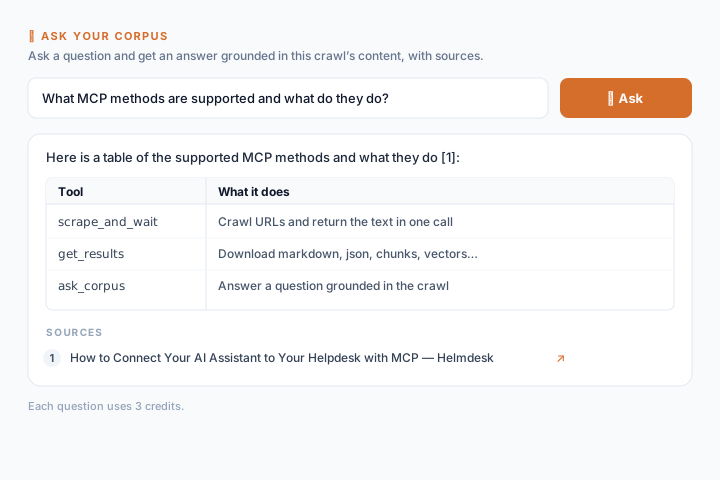
Behind the scenes, a crawl is chunked and embedded, so ask_corpus retrieves the most relevant passages and answers with citations — retrieval-augmented generation, with no pipeline to build.
The tools
| Tool | What it does |
|---|---|
| firescraper_scrape_and_wait | Crawl URLs and return the text in a single call. |
| firescraper_scrape | Start a large crawl; returns a session ID to poll. |
| firescraper_get_session | Check crawl status and page counts. |
| firescraper_list_results | List a finished crawl's export files. |
| firescraper_get_results | Download output as markdown, json, chunks, vectors, and more. |
| firescraper_ask_corpus | Ask a finished crawl a question; get a grounded answer with sources. |
Use cases
- Live documentation Q&A. Point an agent at a vendor's docs and let it answer integration questions against the current pages, not stale training data.
- Competitive and market research. Crawl competitor sites and ask comparative questions across them.
- Knowledge base for support. Turn a help center into a queryable corpus your agent can cite.
- Keeping context fresh. Re-crawl on a schedule so an agent always reasons over up-to-date content.
- RAG ingestion. Export
chunksorvectorsand load them straight into your own vector database.
What makes it agent-friendly
- Clean Markdown by default — headings, lists, tables, and links preserved, so the model spends tokens on content, not HTML noise.
- Structured outputs —
documents,chunks, andvectorsfor when you're building your own pipeline. - Grounded answers —
ask_corpuscites the source pages, so the agent (and you) can verify. - Predictable, flat pricing — credits per page, a few credits per question. No per-feature multipliers.
Get started
Connect the server to your tool of choice:
Both work with the same @firescraper/mcp package and a FireScraper API key.
Turn websites into agent-ready context
Create a free API key and connect the FireScraper MCP server to your agent.