
How to Build a Content Index of an Entire Website as JSON
Before you can audit a site's content, migrate it, or build a search index over it, you need an inventory: every URL with its title, description, language, and size, in one structured file. Doing that by hand across hundreds of pages is miserable.
FireScraper's structured extraction builds that index for you. By asking for fields that map to the metadata FireScraper already captures on every page, you get a clean, reliable JSON record per URL — no parsing, no guesswork. This is the metadata counterpart to the product & listing extraction recipe.
Why this is the reliable kind of extraction
Extraction fills each schema field one of two ways: by matching labeled text on the page (great for prices and specs — see the product recipe), or by mapping directly to metadata FireScraper already records for every page. This recipe uses that second path, which is rock-solid because the values don't depend on how the page happens to be written.
These field names map straight to captured metadata:
| Field | What you get |
|---|---|
| title | The page title |
| meta_description | The meta description |
| language | Detected language code |
| word_count | Number of words on the page |
| publish_date | Publish date when the page exposes one |
| url / canonical_url | The page link and its canonical form |
The settings at a glance
- Start URL
- https://example.com (the site to inventory)
- Crawl depth
- 2–3 — reach every page you want indexed
- Extraction schema
- Metadata fields you want per page
- Respect robots.txt
- On
- Export format
- Extracted JSON
Step 1: Create a new project
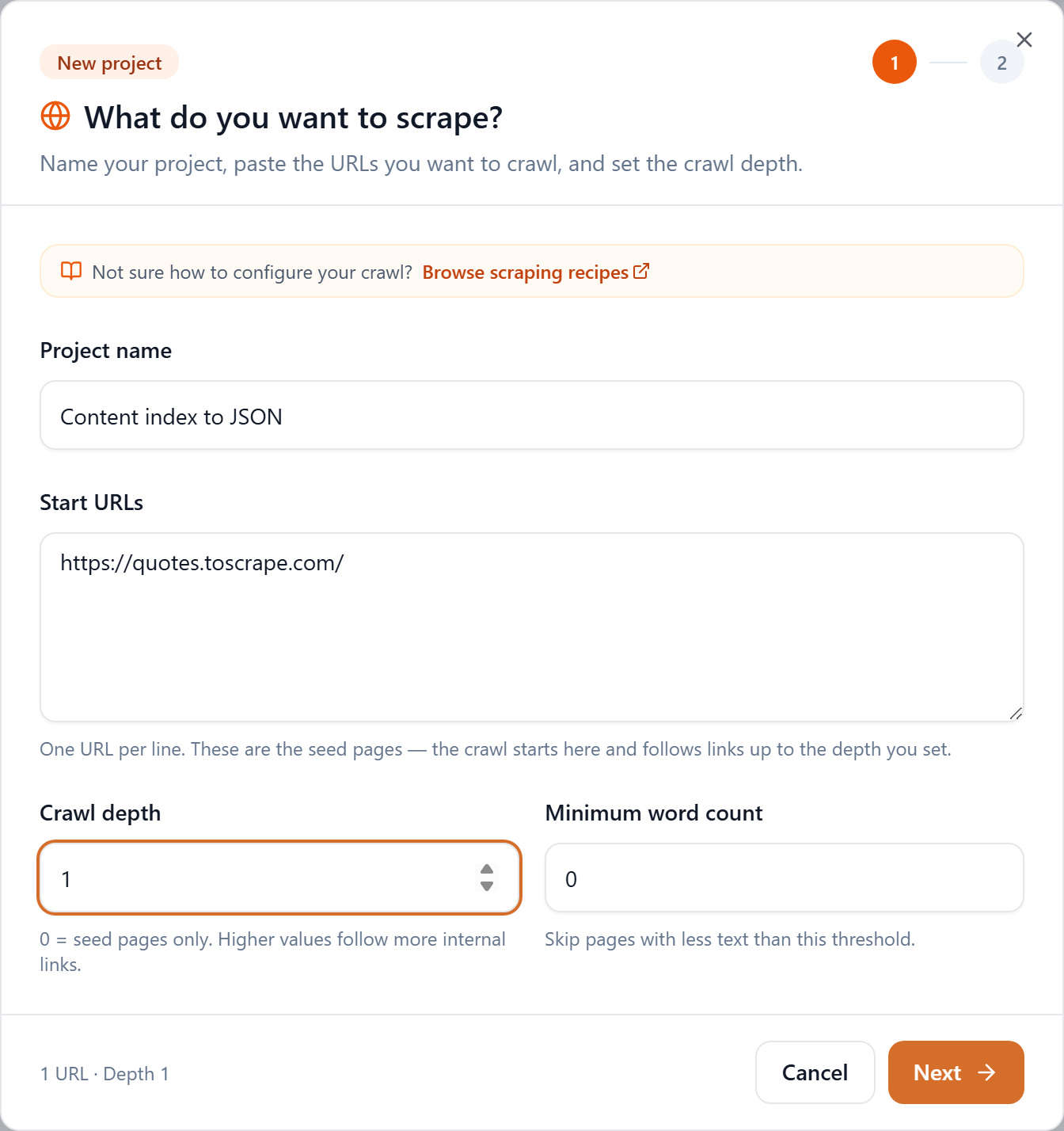
Click New project, name it, and paste the site's root into Start URLs. Use a crawl depth that reaches everything you want in the index.
Step 2: Add a metadata schema
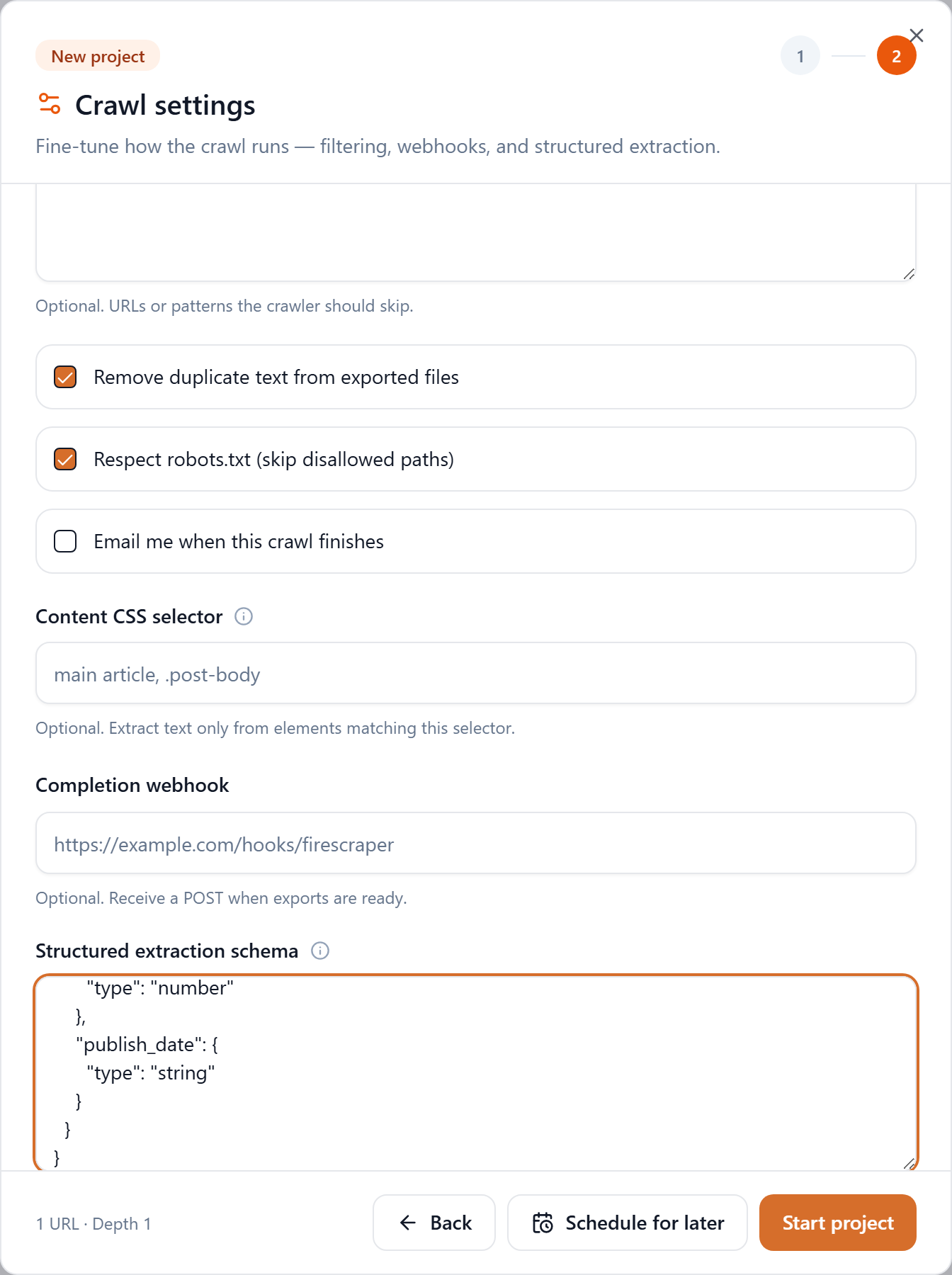
On step 2, scroll to Structured extraction schema and paste a schema of the metadata fields you want per page:
{
  "type": "object",
  "properties": {
    "title": { "type": "string" },
    "meta_description": { "type": "string" },
    "language": { "type": "string" },
    "word_count": { "type": "number" },
    "publish_date": { "type": "string" }
  }
}
Step 3: Download the Extracted JSON
Start the project. When it finishes, click Extracted JSON in the Downloads row.

What you get
One record per page, each with its url and your requested fields filled in:
{
  "schema": { "type": "object", "properties": { "...": {} } },
  "records": [
    {
      "document_id": "quotes_toscrape_com_0001",
      "url": "https://quotes.toscrape.com/",
      "extracted": {
        "title": "Quotes to Scrape",
        "meta_description": "",
        "language": "en",
        "word_count": 412,
        "publish_date": null
      }
    }
  ]
}
Put the index to work
A content index unlocks a lot of quick wins:
import json

records = json.load(open("corpus-extracted.json"))["records"]
pages = [{"url": r["url"], **r["extracted"]} for r in records]

# SEO audit: pages missing a description or title
missing = [p for p in pages if not p["meta_description"] or not p["title"]]

# Thin content: pages under 150 words
thin = [p for p in pages if (p["word_count"] or 0) < 150]

print(f"{len(missing)} pages missing metadata, {len(thin)} thin pages")
Use the same file to seed a search index, plan a migration, or diff two crawls over time to see what changed.
Tips
- Crawl wide. For a complete inventory, set depth high enough (2–3) to reach every page, and keep Minimum word count at 0 so nothing is skipped.
- Add
textif you need it. Including atextfield in your schema gives you the full page body alongside the metadata — handy for a combined audit. - Track changes. Run it on a schedule and compare exports to watch titles, descriptions, and page counts drift over time.
Inventory an entire website in minutes
Crawl a site and get a structured index of every page. New accounts get 1,000 free credits.