
Crawling is great when you want a whole site, but plenty of jobs are the opposite: you already know the exact pages you care about. A list of product URLs to price-check. A handful of competitor pages to watch. Fifty specific articles to archive. For those, you don't want a crawler wandering off — you want exactly your list, scraped and exported.
FireScraper handles this directly: paste your URLs (up to 200 per project), set the crawl depth to 0, and it scrapes precisely those pages and nothing else.
Who this is for
- Anyone with a known set of pages — product detail URLs, competitor pages, documentation links.
- Price and content monitors watching a fixed list rather than a whole site.
- Researchers archiving a specific reading list.
The settings at a glance
- Start URLs
- Your list — one URL per line (up to 200)
- Crawl depth
- 0 — scrape exactly these pages, follow no links
- Minimum word count
- 0 — keep every page
- Export format
- Whatever fits — CSV, JSON, Markdown, JSONL
Step 1: Paste your list
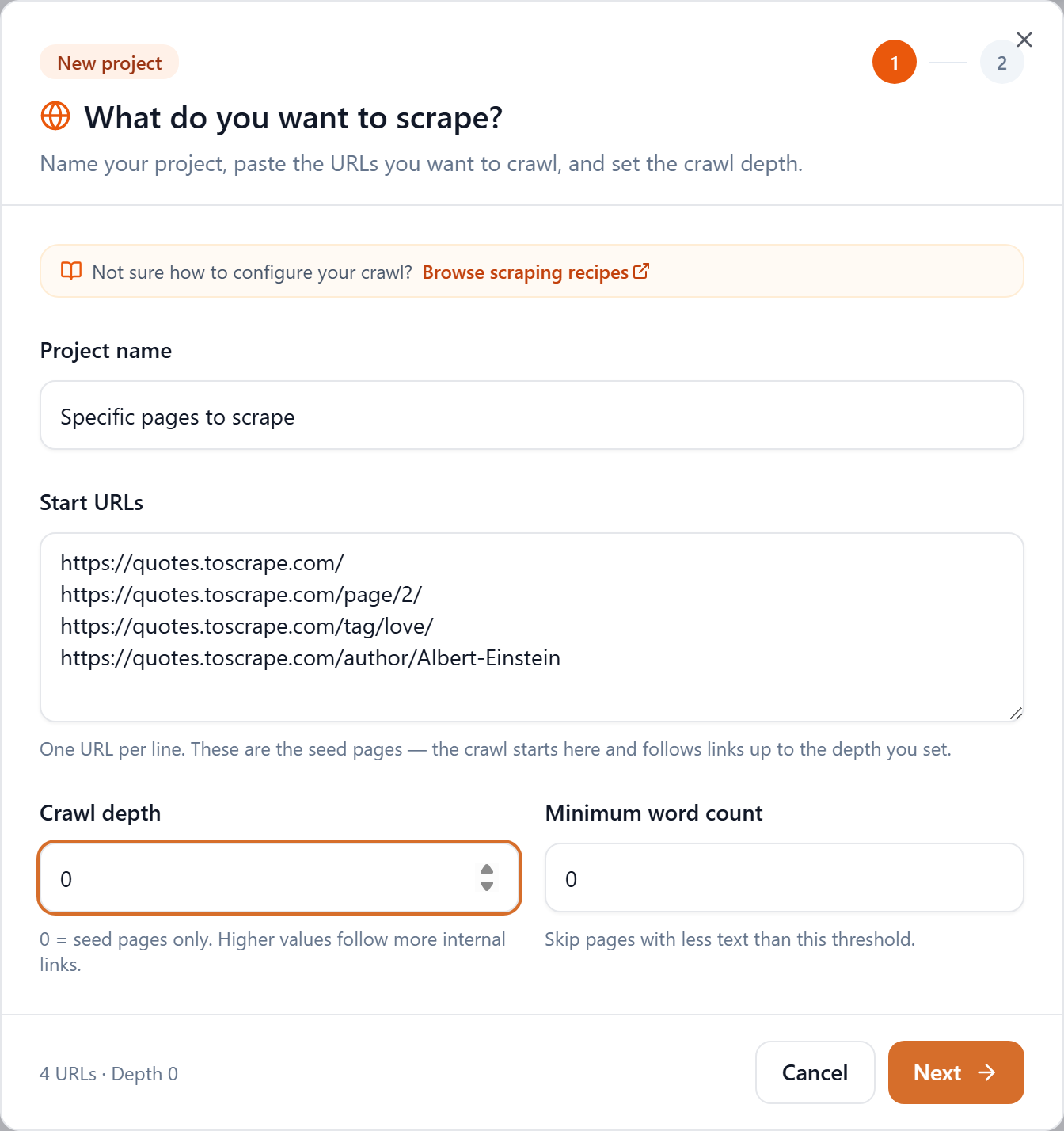
Click New project, name it, and paste your URLs into Start URLs — one per line. The footer tallies them as you go.
Step 2: Set depth to 0
This is the whole trick. Crawl depth 0 means "seed pages only" — FireScraper scrapes each URL in your list and does not follow any links out of them. Your list is exactly what you get.
- Depth 0 — your list, and only your list.
- Depth 1+ — your list plus the pages each one links to. Use this only if you also want what they link to.
Each page costs one credit, so a 50-URL list at depth 0 is 50 credits.
Step 3: Run and download
Start the project. Each URL is scraped in turn and appears in the live log.
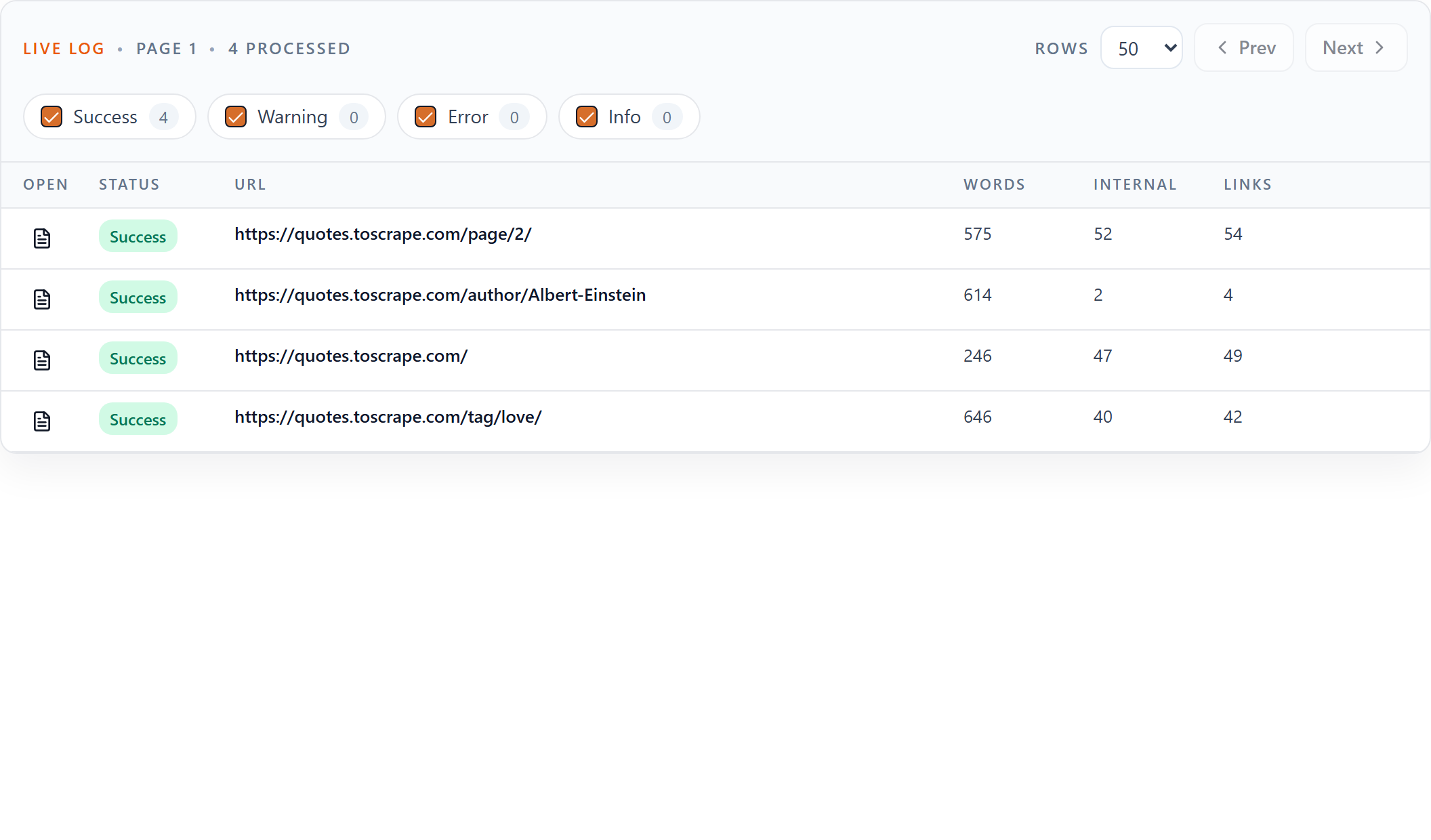
Because each URL becomes its own page, every export is one record per URL: one CSV row, one JSONL line, one section of Markdown — each keyed by its url.

Tips
- Keep URLs clean. Each must be a full link to an HTML page (
https://…), one per line. Links to files like.pdfor.jsonaren't crawlable seed pages. - Need more than 200? Split the list across several projects.
- Want what they link to as well? Bump the depth to 1 — but for a fixed list, depth 0 keeps it exact and cheap.
- Watching the list over time? Combine this with a daily schedule and a completion webhook to turn it into an automated monitor.
Scrape exactly the pages you want
Paste your list, set depth 0, and go. New accounts get 1,000 free credits.